Hello, Android developers!
In the Android ecosystem we are constantly learning new things and staying open to innovations that help us improve our apps. Today I want to share with you an important update in back-button handling: the move from the onBackPressed function to onBackPressedDispatcher. We will take a detailed look at how this change makes back handling more flexible, maintainable, and effective.
This article will be useful for everyone, from experienced developers to those just stepping into these topics. My goal is to present complex technical details in clear language and to reinforce the subject with real-world examples. So, let's get started!
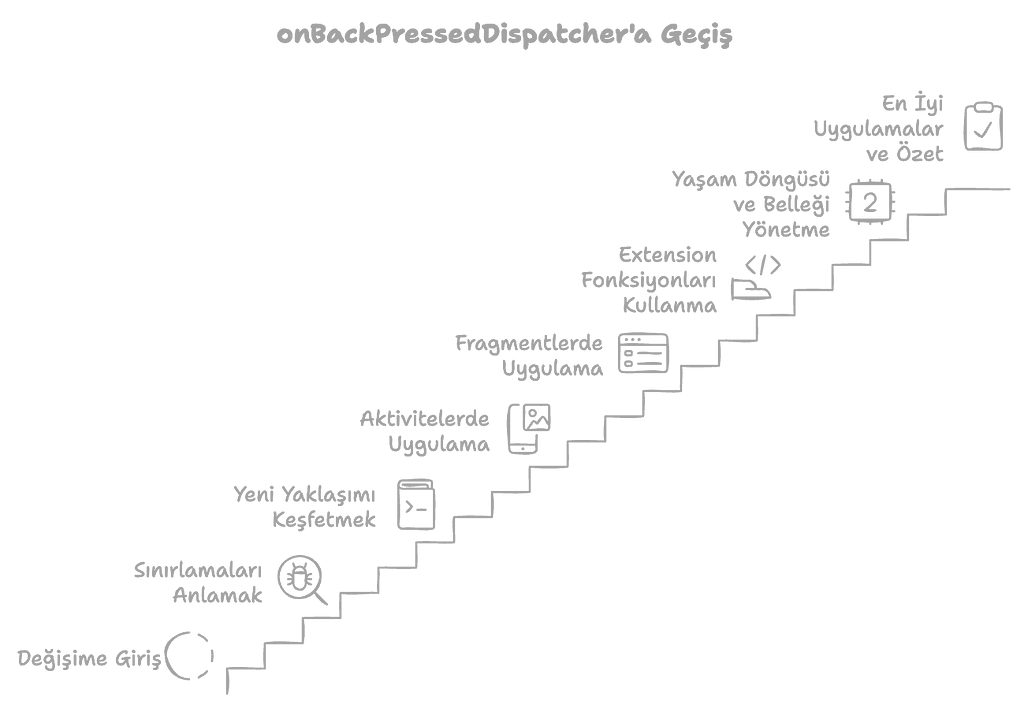
Table of Contents
- Introduction
- The History and Limitations of onBackPressed
- OnBackPressedDispatcher: The New Approach
- The Advantages of Using OnBackPressedDispatcher
- Back Handling with OnBackPressedDispatcher
- Implementation for an Activity
- Implementation for a Fragment
- Getting Rid of Code Duplication: Extension Functions
- An Extension Function for Activity
- An Extension Function for Fragment
- Lifecycle Management and Memory Leaks
- Conclusion and Best Practices
- Resources
Introduction
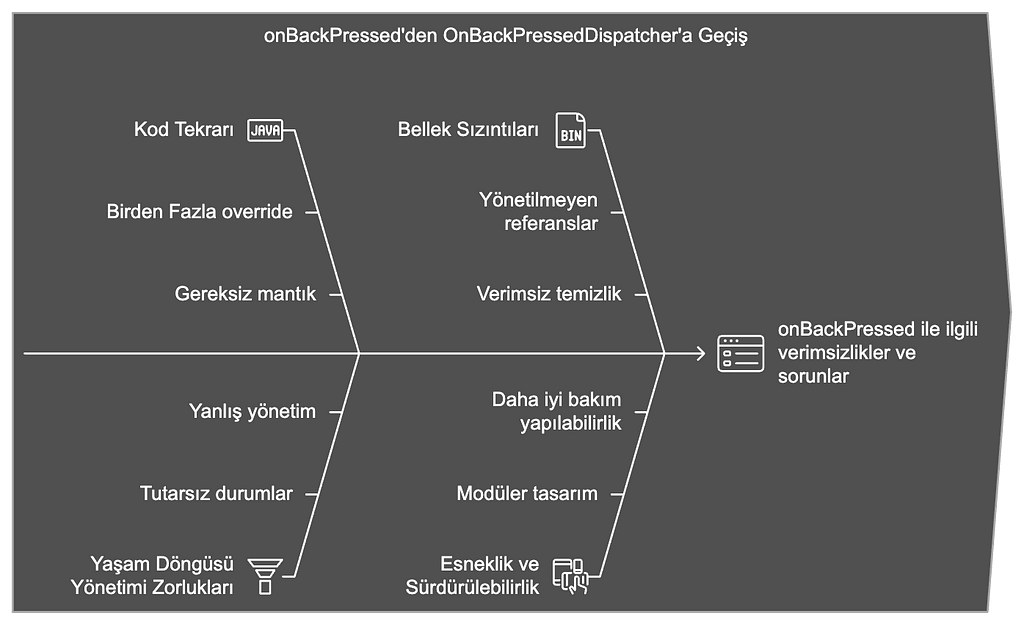
How users use the back button in your app can directly affect the overall user experience. In the past, to manage what should happen when the back button was pressed on Android, we used to override the onBackPressed function. However, this approach gave rise to various limitations and problems, especially in complex scenarios. Code duplication, difficulties in lifecycle management, and memory leaks are just a few of these problems.
Fortunately, the Android team introduced OnBackPressedDispatcher to solve these problems. This new structure makes back handling more flexible and maintainable. In this article, we will take a detailed look at why the OnBackPressed function was deprecated, how to use the OnBackPressedDispatcher that replaced it, and how we can make this new approach even more effective with the help of extension functions, one of Kotlin's powerful features.
The History and Limitations of onBackPressed
What Is onBackPressed?
The onBackPressed function is a callback that is triggered when the user presses the back button on Android. By overriding this function, you can define the custom operations you want to perform when the back button is pressed.
override fun onBackPressed() { // Actions to perform when the back button is pressed finish()}
Its Limitations
Using the onBackPressed function came with some limitations:
- Code Duplication: Overriding the onBackPressed method in every Activity and Fragment can lead to code duplication and maintenance difficulties..
- Lifecycle Management: Managing back-button operations in a way that fits the lifecycle can be difficult, which can cause bugs and unexpected behavior.
- Lack of Modularity: When multiple components manage back-button operations, the code becomes complex and harder to manage.
- Memory Leaks: Incorrect lifecycle management can cause callbacks not to be cancelled properly, resulting in memory leaks.
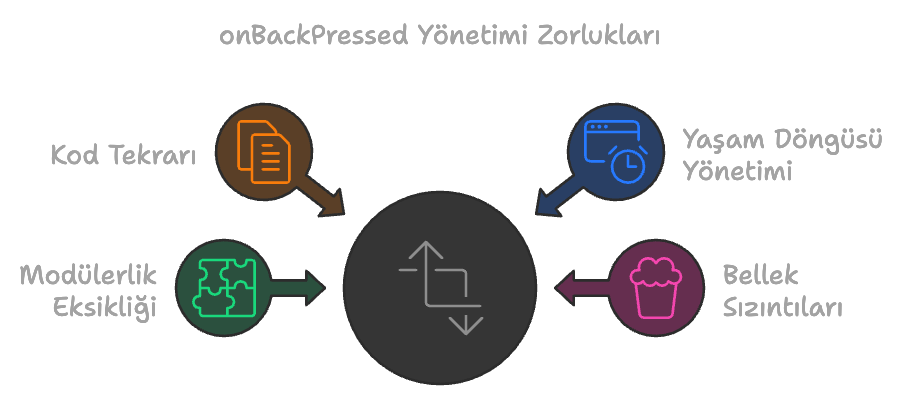
While these limitations made using the onBackPressed function difficult, the Android team offered a new way to solve these problems: OnBackPressedDispatcher.
OnBackPressedDispatcher: The New Approach
OnBackPressedDispatcher, as part of Android Jetpack, was developed to make back handling more flexible and modular. This dispatcher lets us manage back-button events by adding lifecycle-aware callbacks. This way, we can control back-button operations in harmony with the lifecycle of Activities or Fragments.
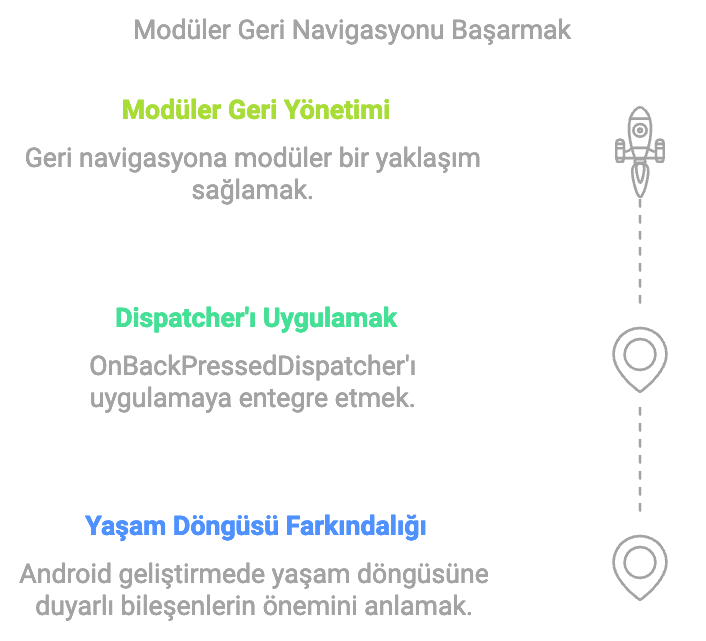
Why OnBackPressedDispatcher?
- Lifecycle Integration: Callbacks are managed automatically based on the lifecycle of the Activity or Fragment.
- Flexibility: Multiple back-button operations can be managed at the same time.
- Modularity: Back-button operations can be managed independently by different components.
- Avoiding Code Duplication: Common code structures can be minimized thanks to extension functions.
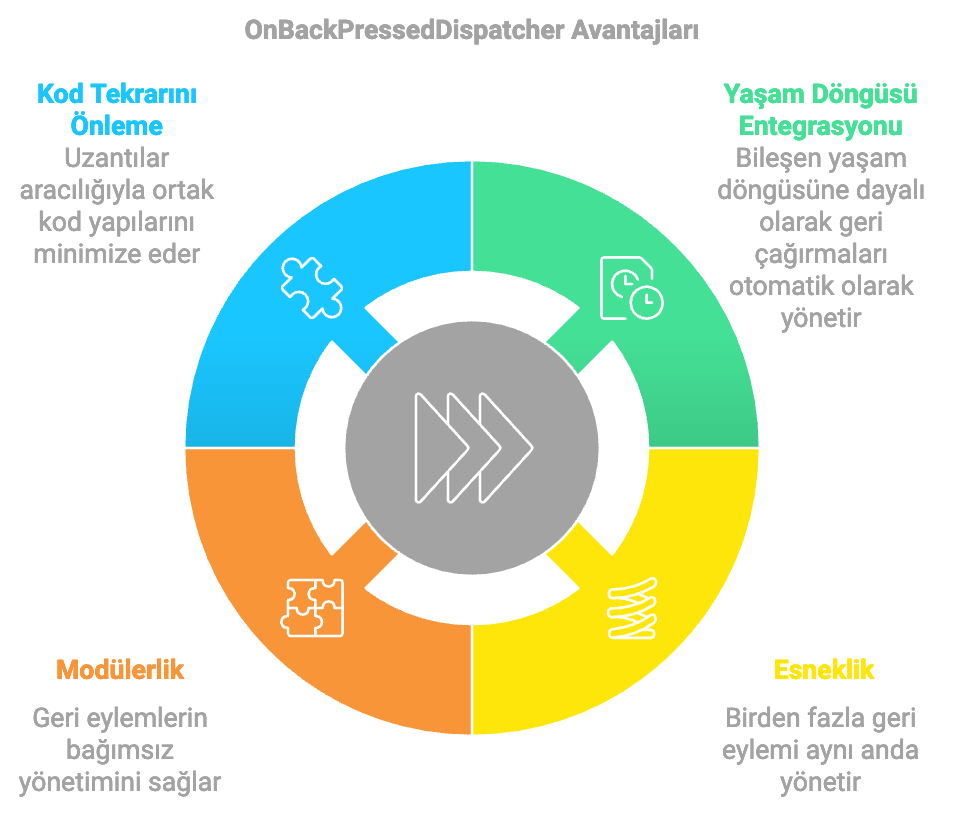
While this new approach makes back handling more flexible and maintainable, it also keeps the code cleaner and more understandable.
The Advantages of Using OnBackPressedDispatcher
- Lifecycle Awareness: OnBackPressedDispatcher manages callbacks based on the lifecycle. Thanks to this, when an Activity or Fragment is destroyed, the callbacks are cancelled automatically.
- Modularity: Different components can add and manage their own back-button operations, which makes the code more modular.
- Avoiding Code Duplication: Using extension functions, we can minimize repeated code in back handling.
- Cleaner and More Readable Code: It provides a more organized and understandable structure for back handling and improves the readability of the code.
Back Handling with OnBackPressedDispatcher
Implementation for an Activity
Using OnBackPressedDispatcher in an Activity is quite simple. Below you can see step by step how to implement it:
- Defining an OnBackPressedCallback:
First, you need to create an OnBackPressedCallback that defines the operations you want to perform when the back button is pressed.
val callback = object : OnBackPressedCallback(true) { override fun handleOnBackPressed() { // Actions to perform when the back button is pressed finish() }}
2. Adding the Callback to the Dispatcher:
You need to add the callback you created to the OnBackPressedDispatcher.
onBackPressedDispatcher.addCallback(this, callback)
3. Putting It All Together:
Below is an example Activity that brings all the steps together:
class ExampleActivity : AppCompatActivity() { override fun onCreate(savedInstanceState: Bundle?) { super.onCreate(savedInstanceState) setContentView(R.layout.activity_example) val callback = object : OnBackPressedCallback(true) { override fun handleOnBackPressed() { // Actions to perform when the back button is pressed finish() } } onBackPressedDispatcher.addCallback(this, callback) }}
Implementation for a Fragment
Using OnBackPressedDispatcher in Fragments is a little different, because Fragments have their own lifecycle and callbacks need to be added at the right time.
- Defining an OnBackPressedCallback:
First, you need to create an OnBackPressedCallback that defines the operations you want to perform when the back button is pressed.
val callback = object : OnBackPressedCallback(true) { override fun handleOnBackPressed() { // Actions to perform when the back button is pressed findNavController().popBackStack() }}
2. Adding the Callback to the Dispatcher:
You need to add the callback you created to the OnBackPressedDispatcher. This must be done based on the Fragment's view lifecycle.
requireActivity().onBackPressedDispatcher.addCallback(viewLifecycleOwner, callback)
3. Putting It All Together:
Below is an example Fragment that brings all the steps together:
class ExampleFragment : Fragment(R.layout.fragment_example) { override fun onViewCreated(view: View, savedInstanceState: Bundle?) { super.onViewCreated(view, savedInstanceState) val callback = object : OnBackPressedCallback(true) { override fun handleOnBackPressed() { // Actions to perform when the back button is pressed findNavController().popBackStack() } } requireActivity().onBackPressedDispatcher.addCallback(viewLifecycleOwner, callback) }}
With this method, callbacks are managed based on the Fragment's view lifecycle, and when the Fragment is destroyed the callback is cancelled automatically.
Getting Rid of Code Duplication: Extension Functions
Avoiding code duplication is a critical goal in the software development process. Preventing the repetition of frequently used structures, such as back handling in particular, makes the code easier to read and maintain. Kotlin's extension functions come into play at this point and prevent code duplication by gathering common code structures in a single place.
Back Handling with Extension Functions
Extension functions let us add new functions/features to existing classes. Using this capability, we can create a common structure for back handling and avoid code duplication.
An Extension Function for Activity
The following extension function makes it easier to add an operation to Activity classes that runs when the back button is pressed.
/** * Adds an operation to Activity classes that runs when the back button is pressed. * * @param enabled Determines whether the callback is enabled initially. The default value is `true`. * @param handleOnBackPressed The higher-order function (High-Order Function) called when the back button is pressed. * Inside this function you can directly access the Activity's members. */fun ComponentActivity.addOnBackPressedCallback( enabled: Boolean = true, handleOnBackPressed: ComponentActivity.() -> Unit) { onBackPressedDispatcher.addCallback( this, object : OnBackPressedCallback(enabled) { override fun handleOnBackPressed() { [email protected]() } } )}
An Extension Function for Fragment
The following extension function makes it easier to add an operation to Fragment classes that runs when the back button is pressed.
/** * Adds an operation to Fragment classes that runs when the back button is pressed. * * @param enabled Determines whether the callback is enabled initially. The default value is `true`. * @param handleOnBackPressed The higher-order function (High-Order Function) called when the back button is pressed. * Inside this function you can directly access the Fragment's members. */fun Fragment.addOnBackPressedCallback( enabled: Boolean = true, handleOnBackPressed: Fragment.() -> Unit) { requireActivity().onBackPressedDispatcher.addCallback( viewLifecycleOwner, object : OnBackPressedCallback(enabled) { override fun handleOnBackPressed() { [email protected]() } } )}
Thanks to these extension functions, we can manage back-button operations in Activities and Fragments in a cleaner and more understandable way. For example, when we want to show a dialog in an Activity when the back button is pressed:
class ExampleActivity : AppCompatActivity() { override fun onCreate(savedInstanceState: Bundle?) { super.onCreate(savedInstanceState) setContentView(R.layout.activity_example) addOnBackPressedCallback { showExitConfirmationDialog() } } private fun showExitConfirmationDialog() { AlertDialog.Builder(this) .setTitle("Are You Sure You Want to Exit?") .setMessage("You may have unsaved changes.") .setPositiveButton("Yes") { _, _ -> finish() } .setNegativeButton("No", null) .show() }}
In this way, you simplify back handling and avoid code duplication.
Lifecycle Management and Memory Leaks
When using OnBackPressedDispatcher and OnBackPressedCallback, managing the lifecycle correctly is critically important for preventing memory leaks. In our extension functions, we use viewLifecycleOwner or LifeCycleOwner to keep the callbacks bound to the lifecycle. Thanks to this, when an Activity or Fragment is destroyed, the callbacks are cancelled automatically.
Usage Example:
fun Fragment.addOnBackPressedCallback( enabled: Boolean = true, handleOnBackPressed: Fragment.() -> Unit) { requireActivity().onBackPressedDispatcher.addCallback( viewLifecycleOwner, object : OnBackPressedCallback(enabled) { override fun handleOnBackPressed() { [email protected]() } } )}
This structure ensures that the callback is active only during the Fragment's view lifecycle. When the Fragment is destroyed, the callback is cancelled automatically, which prevents unnecessary callbacks from staying in memory and causing memory leaks.
Conclusion and Best Practices
Using onBackPressedDispatcher instead of the onBackPressed method makes back handling more flexible and maintainable. However, to use this new structure effectively, it is important to avoid code duplication and to manage the lifecycle correctly. Kotlin's extension functions come into play at this point and make your code cleaner, more readable, and easier to maintain.
Best Practices:
- Use Extension Functions:
- Avoid code duplication by abstracting common code for back handling with extension functions.
- These functions make back-button operations in Activities and Fragments cleaner and more understandable.
- Be Lifecycle-Aware:
- Use LifecycleOwner and viewLifecycleOwner to ensure callbacks are managed in line with the lifecycle.
- Thanks to this, when an Activity or Fragment is destroyed, the callbacks are cancelled automatically and memory leaks are prevented.
- Avoid Code Duplication:
- Make your code more modular and maintainable by abstracting your common code structures with extension functions.
- Watch Out for Memory Leaks:
- Prevent memory leaks by keeping callbacks bound to the lifecycle.
- Incorrect lifecycle management can cause unnecessary callbacks to remain in memory and lead to performance problems.
- Readability and Ease of Maintenance:
- Make maintenance easier by organizing your code into modular and understandable structures.
- Use extension functions to make back handling more readable and orderly.
In Short:
- onBackPressed was deprecated (removed from use) and OnBackPressedDispatcher came in its place.
- OnBackPressedDispatcher lets you manage lifecycle-aware callbacks.
- By using Kotlin's extension functions, you can avoid code duplication in back handling and create a cleaner structure.
- Prevent memory leaks by paying attention to lifecycle management.